
01Orders
Bring your orders into Shipments
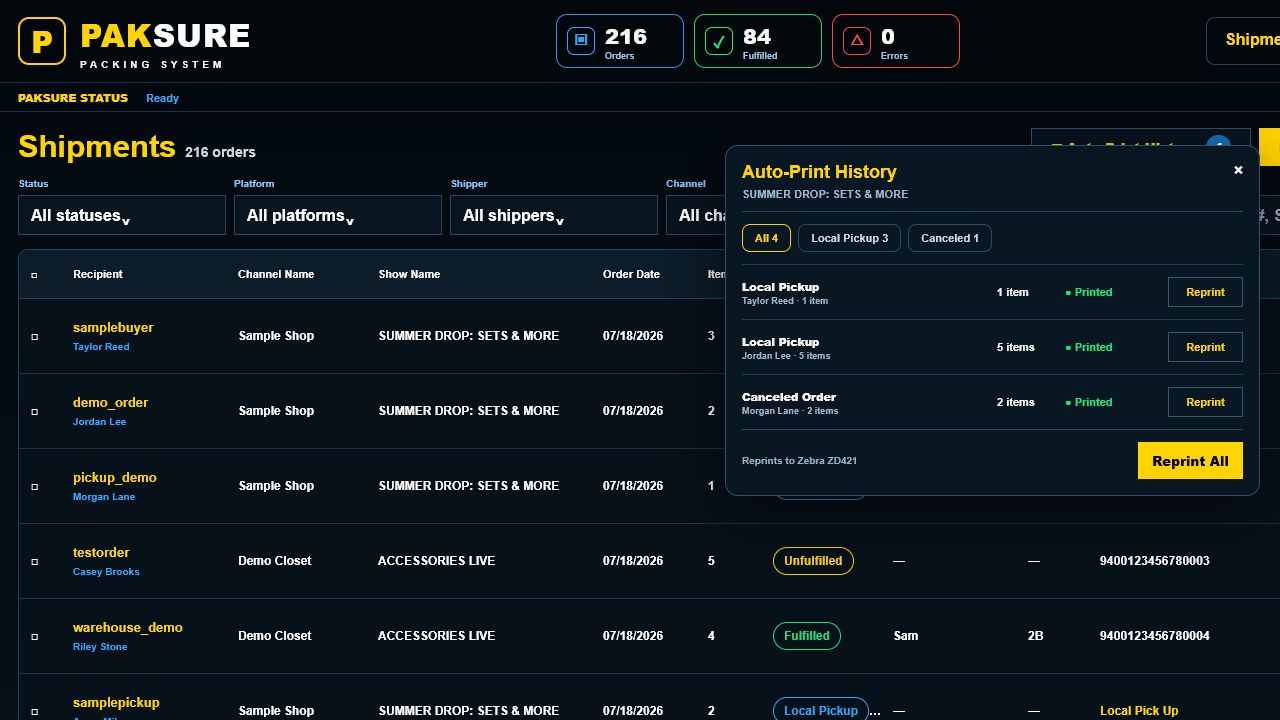
Download the order CSV from Whatnot, TikTok Shop, or your configured platform. PakSure detects the file, imports the orders, and organizes them by show so your team can start packing.
How PakSure works
See the real PakSure program at each part of the everyday packing workflow.
The daily workflow
These are real program screens with demonstration information—never customer data.
Download the order CSV from Whatnot, TikTok Shop, or your configured platform. PakSure detects the file, imports the orders, and organizes them by show so your team can start packing.
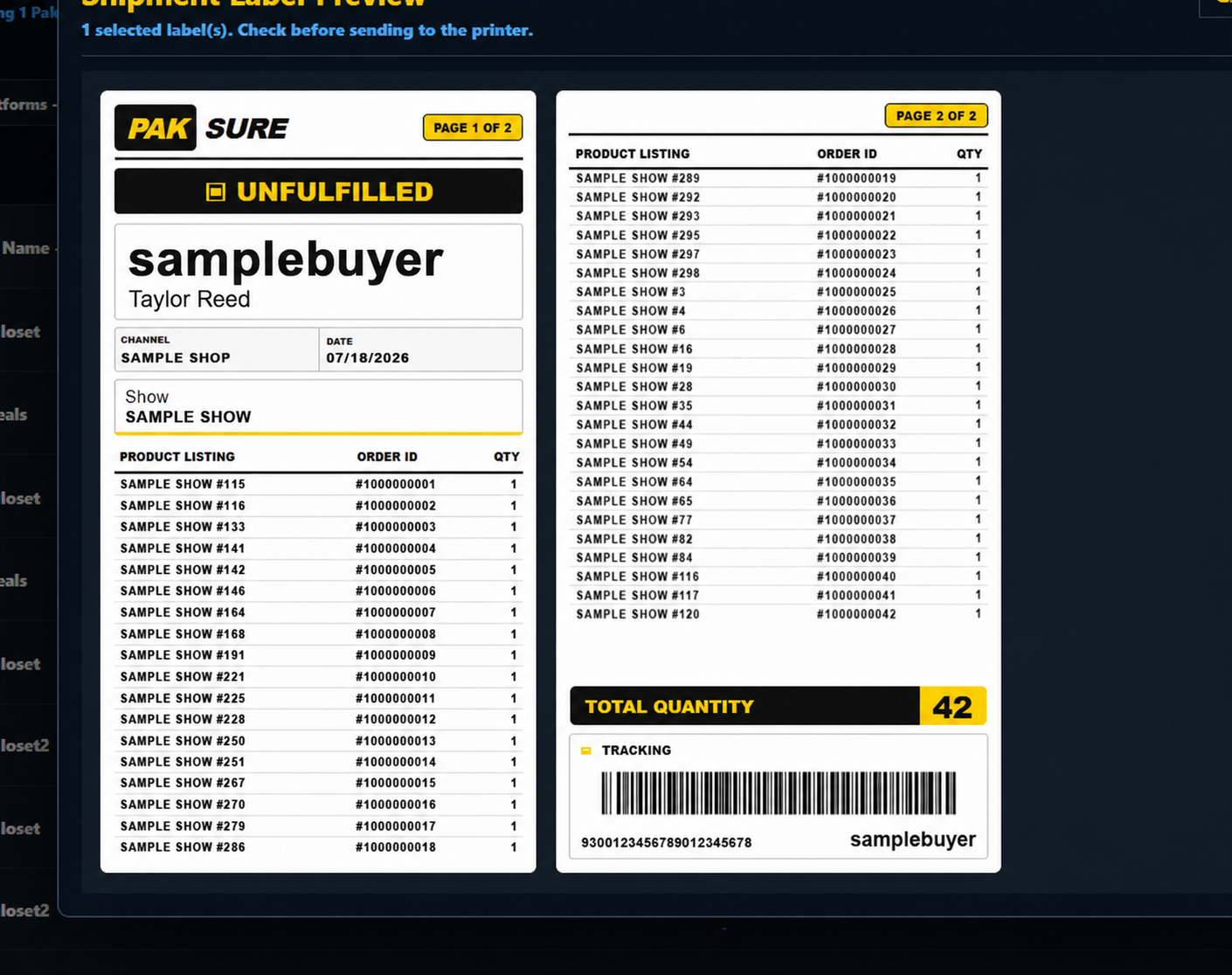
Select the orders or show you are packing, preview the labels, and send them to your printer. Each label keeps the buyer, order items, quantity, and tracking information together.
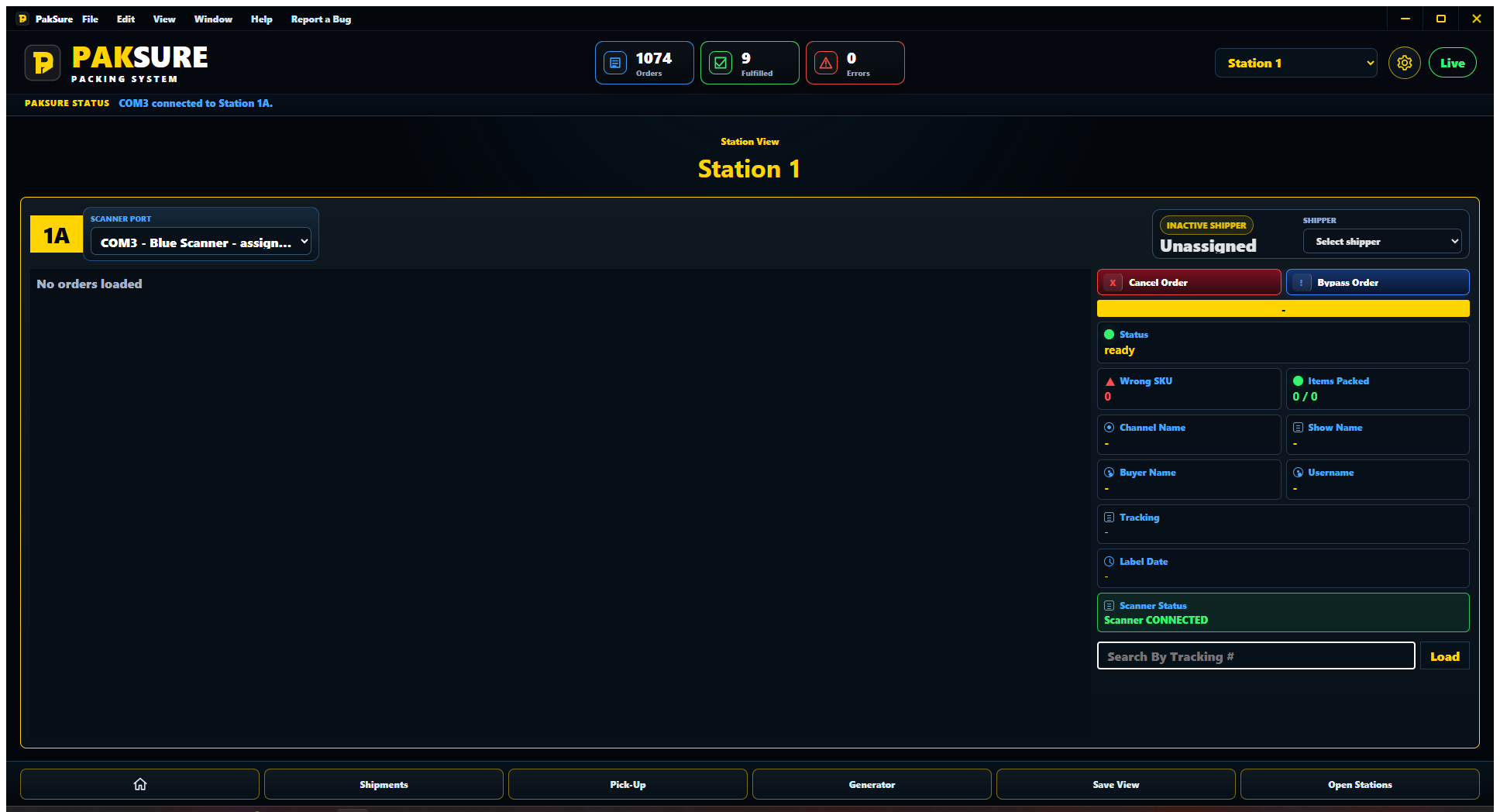
At the station, scan the shipper badge and shipping label, then scan every item. Correct items turn green, remaining items stay red, and PakSure warns the shipper about wrong or duplicate scans before fulfillment.
Saved automatically
Ready?